[fr] Voici les photos auxquelles vous avez échappé cette année :
[en] Here are the pictures which have been short listed this year:
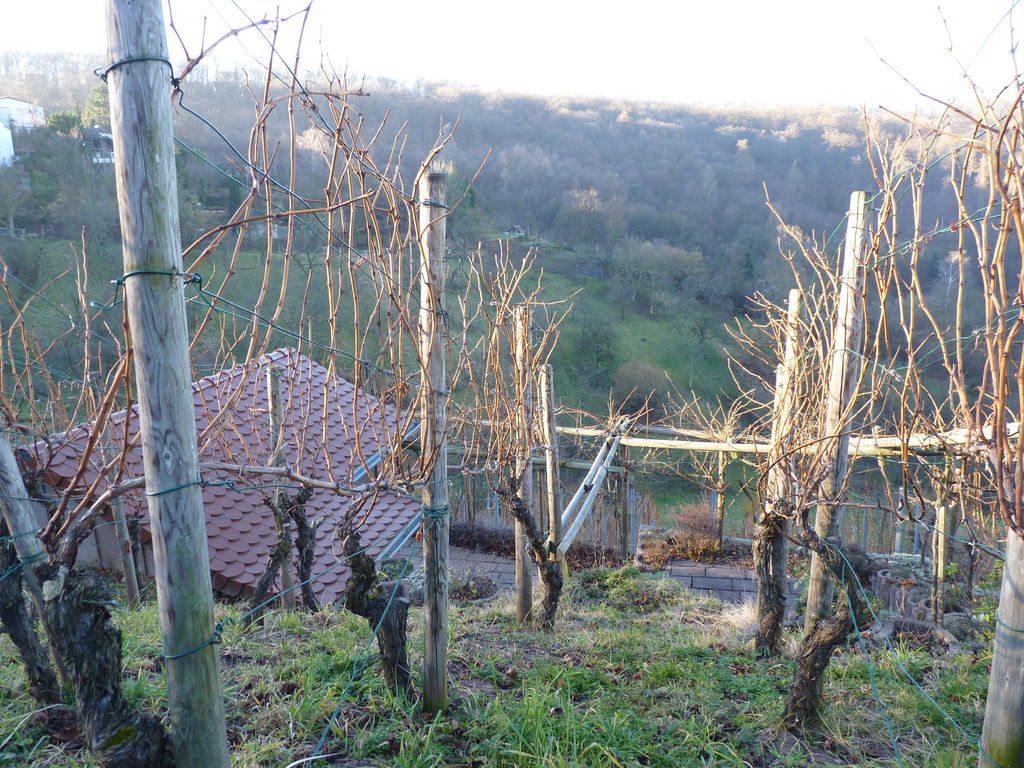









[fr] Voici les photos auxquelles vous avez échappé cette année :
[en] Here are the pictures which have been short listed this year:

[fr] Le choix des photos a été difficile et voici celles auxquelles vous avez échappé :
[en] Choosing a picture is always tough and here are those which have been short listed:











While setting my GitLab servers I had to perform a number of customizations, the main one being to support OpenID and the method described here could thus be used to do any kind of customization.
If like me you try to use the software packages that come with your preferred Linux based operating system you’ll find the « official » installation guide for GitLab rather untypical. This installation guide seems to totally ignore Linux good practices such as separating configuration, programs and data into /etc, /usr and /var and installs everything under a standard user directory.
A benefit of this « simplification » is that the whole GitLab installation is a git clone of the GitLab source code (that would probably be more difficult if stuff were spread into multiple locations). And the beauty of using git clones is that updates are basically a matter of pulling a new version from the remote repository.
And if you need to « customize » the code you can take advantage of git and create you own local branch(es) which you can push into you own remote repository if you want to share the same customization between multiple GitLab installations.
Start by a full installation following the « official » installation guide for GitLab and check that everything is running as expected. You could probably save some time by modifying the source during this initial installation but if anything went wrong you’d be in trouble to determine if this is a consequence of your modifications or anything else.
$ sudo service gitlab stop
It’s a matter of taste but I tend to prefer running commands as the GitLab user (git if you’ve followed the installation guide to the letter) than prefixing them with sudo -u git -H as shown in the installation guide. Of course gitlab-shell will block you if you try to ssh directly as the GitLab user but you can become the git-lab user using sudo and su:
$ sudo su - git
To create a local branch called openid and switch to this branch:
~$ cd gitlab
~/gitlab$ git checkout -b openid
Edit Gemfile to add gem ‘omniauth-openid‘ after gem ‘omniauth-github‘ so that it looks like:
# Auth
gem "devise", '~> 2.2'
gem "devise-async"
gem 'omniauth', "~> 1.1.3"
gem 'omniauth-google-oauth2'
gem 'omniauth-twitter'
gem 'omniauth-github'
gem 'omniauth-openid'
After this update you’ll need to create a new bundle. To do so you have to run the command bundle install as root (running sudo as a user which has enough rights). This will update the Gemfile.lock file and other resources which should belong to the GitLab:
~/gitlab$sudo bundle install
~/gitlab$sudo chown -R  gitlab.gitlab .
At that point, git status should tell you that you’ve updated both Gemfile and Gemfile.lock and you can commit this first step:
~/gitlab$ git commit -a -m "omniauth-openid gem installed"
Update config/gitlab.yml to enable omniauth:
  ## OmniAuth settings
  omniauth:
    # Allow login via Twitter, Google, etc. using OmniAuth providers
    enabled: true
In a perfect world you should be able to configure OpenID as an omniauth provider here but unfortunately, the code that handles these definition (located in config/initializers/devise.rb) requires mandatory app_id and app_secret parameters used by proprietary protocols to lock users. OpenID doesn’t use these parameters and we’ll define OpenID providers directly in the code.
Update config/initializers/devise.rb to add the definition of the OpenID provider(s) so that it looks like:
...
      name_proc: email_stripping_proc
  end
# Update starts here
#  require "openid/fetchers"
  OpenID.fetcher.ca_file = "/etc/ssl/certs/ca-certificates.crt"

  config.omniauth :open_id,
    :name => 'google',
    :identifier => 'https://www.google.com/accounts/o8/id'

  config.omniauth :open_id,
    :name => 'openid'
# Update ends here
  Gitlab.config.omniauth.providers.each do |provider|
...
(Add the first declaration only if you want to offer OpenID authentication to Google users)
Update app/controllers/omniauth_callbacks_controller.rb to include these definitions:
# Update starts here
  def google
     handle_omniauth
  end

  def openid
     handle_omniauth
  end
# Update ends here

  private

  def handle_omniauth
At that point, users should be able to login using OpenID if the relevant information was available in the database and we need to enable the user interface which will put these info in the database.
Update app/helpers/oauth_helper.rb to add OpenID (and google if you’ve defined it) to the list of « enabled_social_providers« :
  def enabled_social_providers
    enabled_oauth_providers.select do |name|
      [:openid, :google, :twitter, :github, :google_oauth2].include?(name.to_sym)
    end
  end
This list was initially limited to [:twitter, :github, :google_oauth2].
At that point, profile/account pages should present a list of « social accounts » including Google and OpenID. Unfortunately if you click on one of these buttons the authentication will succeed but the database update will be blocked by the protect_from_forgery feature.
This issue is documented in stackoverflow and GitHub and a workaround is to switch this feature in the controller that handles the authentication.
Update app/controllers/omniauth_callbacks_controller.rb to comment the third line and require to skip this:
class OmniauthCallbacksController < Devise::OmniauthCallbacksController
  # Update starts here
  #protect_from_forgery :except => :create
  skip_before_filter :verify_authenticity_token
  # Update ends here

  Gitlab.config.omniauth.providers.each do |provider|
$ sudo service gitlab start
$ sudo service nginx restart # or sudo service apache2 restart
OpenID authentication should work fine at that point.
~/gitlab$ git commit -a -m "Ready for OpenID..."
To upgrade your GitLab installation you’ll need to merge the new version into your openid branch before you can follow the upgrade guide. For instance, to upgrade to version 6.3 I have typed:
~/gitlab$ git fetch
~/gitlab$ git checkout 6-3-stable # to have a look at the new version
~/gitlab$ git checkout openid # back to the local branch
~/gitlab$ git merge 6-3-stable
You may run into merge conflicts. During the upgrade to 6.3, the Gemfile had been updated and as a result of this update, Gemfile.lock was in conflict.
To fix this specific issue I have run the bundle install command again:
~/gitlab$sudo bundle install
~/gitlab$sudo chown -R  gitlab.gitlab .
When you’ve fixed your conflicts, you need to add the files in conflict and commit:
~/gitlab$ git add Gemfile.lock
~/gitlab$ git commit -m "Merging 6.3"
From that point you should be able to follow standards upgrade instructions.
If you need to install several servers with the same customization, you may want to push your branch to a remote directory.
To do so, you must define a new remote and specify whenever you push to that directory, for example:
~/gitlab$ git remote add myremote git@gitlab.example.com:gitlab/custom.git
~/gitlab$ git push myremote openid
Note that of course if you want to pull/push from the GitLab server you are working on it would need to be up and running ;) !
To install new servers you can now follow the standard installation guide just replacing the initial git clone by a clone of your own remote directory.
I have been using Trac since ages and I like its simplicity compared to systems such as Jira but I must say it looks like a dinosaur compared to GitHub…
I like GitHub but I am also a strong believer that the web should stay decentralized and have been searching an open source alternative that I could host on my servers for a while.
The latest version of GitLab is a perfect solution for my needs: previous versions were focused on private projects but version 6.2 introduces the support for public projects that was missing in previous versions.
I have installed GitLab at https://gitlab.dyomedea.com/ and I have started using it to publish my presentation at XML Amsterdam.
My plan is now to slowly migrate my open source projects between Trac and GitLab and I have found a couple of Python scripts that may help for this process:
I have consolidated these two scripts and the result is available as trac-to-gitlab which is of course… published on GitLab!
One of the things I really like with git is that at the bottom of the network of changes you can see the initial history of the two scripts with the commit dates and names of their authors.
I hope that trac-to-gitlab may be useful to others and be similarly cloned into other projects!
Of course, comments, issues and merge requests are welcome.
See also:
The purpose of my presentation at XML Amsterdam was to explore what might be done with Saxon-CE in the domain of forms applications.
I won’t repeat here what I said during the presentation but focus on a few key points and give as much pointers as possible to explore if you want to go further.
For those of you who have missed my presentation or would like to hear it again, the next best thing is the screencast of my last rehearsal before the event:
The presentation itself is powered by Saxon-CE and the best way if you want to try it by yourself is to download or clone it on our GitLab server.
An alternative is to browse it directly from this server. Note however that serving raw resources through GitLab is not very efficient and that the response times will be slow.
You may notice differences between the screencast, what I have presented, the demo showed by Geert Josten at the DemoJam and the latest version on GitLab.
A look at the network of changes should help you to understand what has happened! The version that I have presented is tagged as xmlamsterdam2013. The version used for the screencast was the previous one, before adding a page with metrics. I have wanted to play it safe and the features needed to implement Geert’s calculator have been developed separately in the grtjn branch which has been merged after the conference into the master branch…
A key point to manipulate XML documents based on user interaction is the ability to store these documents in the browser between user actions and I have spent height slides, between slide 13 « Storing instance in an XML hostile environment » and slide 20 « Storing XML in the global (window) object » to explore different options.
It’s time to explain the issues we have to face to be able to store instances as JavaScript properties.
While Saxon-CE is fine within browsers and does a good job of acting as a good citizen speaking JavaScript almost as it if was its native language, there are still a number of glitches that reminds us that its isn’t really the case…
Among them, many castings which are implicit in XSLT don’t work when accessing JavaScript object properties or methods.
In XSLT, we use to write things such as:
    <xsl:template name="init">
      <xsl:variable name="element" as="element()">
        <element>foo</element>
      </xsl:variable>
      <div><xsl:value-of select="concat('Element value: ', $element)"/></div>
    </xsl:template>
In the <xsl:value-of/> instruction, the second parameter to the concat() function is an element node which as been implicitly casted into a string.
As a naive user, I was thinking that I could do the same when calling JavaScript methods, for instance:
      <xsl:variable name="element" as="element()">
        <element>foo</element>
      </xsl:variable>
      <div><xsl:value-of select="js:alert($element)"/></div>
But the browser strongly disagreed:
SaxonCE.XSLT20Processor 20:25:07.774
SEVERE: XPathException in invokeTransform: Cannot convert class client.net.sf.saxon.ce.tree.linked.ElementImpl to Javascript object
This message comes to remind you that two type of incompatible objects live within Saxon-CE and that native Java classes cannot always be converted into JavaScript objects!
In this simple case we can explicitly cast the element to a simple type which will be compatible with JavaScript object system:
      <xsl:variable name="element" as="element()">
        <element>foo</element>
      </xsl:variable>
      <div><xsl:value-of select="js:alert(string($element))"/></div>
That’s more difficult if you really need to pass an XML node as a JavaScript parameter or property. For instance if I want to save this element as a property, this will raise the same kind of errors:
      <xsl:variable name="element" as="element()">
        <element>foo</element>
      </xsl:variable>
      <div><ixsl:set-property name="element" select="$element"/></div>
Here I need to convert the element node into a JavaScript object and I would even say that ideally this conversion should be implicit.
The bad news is that Saxon-CE does not provide a function to perform this conversion.
The other bad news is that if you thought you could use Saxon-CE JavaScript js:Saxon.serializeXML() and js:Saxon.parseXML() to perform that task by writing:
      <xsl:variable name="element" as="element()">
        <element>foo</element>
      </xsl:variable>
      <div><ixsl:set-property name="element" select="js:Saxon.parseXML(js:Saxon.serializeXML($element))"/></div>
you’re out of luck: js:Saxon.serializeXML() is a JavaScript wrapper to a native JavaScript function that won’t accept your XML node as an argument.
Michael Kay has implemented an ixsl:serialize-xml() function in branch ce1.1plus but unfortunately this function works fine with Saxon’s tiny tree nodes but silently fails when its parameter is a JavaScript DOM object. Furthermore, ixsl:serialize-xml() does not always preserve comments and PIs.
This conversion is one of the basis of most of the things I have shown during my presentation and I ended up writing a “d:serializeXML()” function, based on Evan Lenz’ xml-to-string.xsl and wrap this function in a js:Saxon.parseXML() call to provide the d:convert-to-jsdom() function that I needed:
      <xsl:variable name="element" as="element()">
        <element>foo</element>
      </xsl:variable>
      <div><ixsl:set-property name="element" select="d:convert-to-jsdom($element)"/></div>
This is probably a most inefficient way of performing the conversion. A slightly more efficient way could be to write an XSLT implementation of this function that would use JavaScript methods to create the DOM tree from within XSLT templates rather than serializing to parse again.
At the end of the day, I think that Saxon-CE should really provide a built-in method to perform the conversion and that this conversion should be implicit!
See also:
When you love you don’t count the cost
Saxon-CE analyses the page to find the first script element with @type='application/xslt+xml' and @language='xslt2.0' in the HTML page to create an XSLT transformer on which it calls the updateHTMLDocument() method.
This a great idea and that’s perfect to provide an easy way to run a transformation acting as a set of event handlers on the page!
However, why should us be limited to a single transformation?
In my presentation I have found out that I had several disjoint set of features to implement on each slide and in such case I much prefer to write a transformation for each set of features.
The bad news is that Saxon CE won’t do that automatically for you.
The good news is that you can do that using the JavaScript API provided by Saxon-CE. And since you can call JavaScript methods in XSLT you can even do that in XSLT.
That’s what I did in my presentation: the first transformation which is automatically invoked by Saxon-CE is called boot-saxon.xsl. This transformation matches the following scripts linking to XSLT 2.0 transformations, creates an XSLT transformer and invokes the updateHTMLDocument() method…
If you look at this transformation you’ll see that in addition it can also invoke dynamic transformations (transformations which are created by transforming the web page into XSLT). This is a feature I use in my proof of concept of an XForms implementation.
Multiple transformations are a great feature and I think they would really deserve to become a standard feature in Saxon-CE.
Dynamic transformations are probably much more a niche thing and I am not sure they should be integrated to the product.
See also:
updateHTMLDocument()is a misnomer
Beside bringing XSLT 2.0 to the browser, I think that the main innovation of Saxon-CE is the way it uses XSLT to define event handlers which update the current page based on interaction events.
In slide 26, “A dream come true”, I am using this method on an XSLT transformation run against an XML fragment and as you can see it seems to be working pretty well!
Why would we need to run this method on anything else than the HTML page?
This was one of the things I have explained in detail during my presentation: I think that the new paradigm introduced by Saxon-CE to use XSLT “transformations” as even handlers able to update document fragments is really powerful and has use cases well beyond “typical” Saxon-CE applications.
The purpose of this slide is to show how nice it would be to run a client side MVC application implemented as two separate transformations communicating through events:
I see no reason why this shouldn’t be extended to other use cases.
For instance, such a feature would open interesting perspective in XML databases where XSLT transformations could be used to define event handlers on XML nodes…
To come back to Saxon-CE, I think that both the name of the method and the documentation are misleading:
updateHTMLDocument() could be renamed updateDocument()This proposal to generalize the usage of the updateHTMLDocument() method assumes that events can be used on XML documents.
Unfortunately the usage of events in Saxon-CE seem to be strictly limited.
The documentation differentiates two different types of events:
ixsl:onclick.window that live outside the DOM. Event handlers for such objects are written in the form of template rules. The match pattern is different from that for conventional templates because there is no node to match. Instead, the pattern must be an ixsl function (e.g. ixsl:window() ) that returns the object whose event is to be handled.Unfortunately both types of events suffer important restrictions:
updateHTMLDocument() with an XML document as a target Saxon-CE ignores any event handler that you define through ixsl:onXXX modes.A consequence of the first limitation is that I haven’t found any way to implement the equivalent of XForms incremental mode. This should be trivial to implement using input events, I have checked that these events are fired synchronously when an input is changed but since Saxon-CE doesn’t install any event handler for them there seems to be no way to catch them.
Another consequence is that as you may have noticed that in hello-world-2xslt.xsl we define an event handler on a change event for the output:
    <!-- The output needs to be updated -->
    <xsl:template match="div[@id='output']" mode="ixsl:onchange">
        <xsl:message>The output needs to be updated</xsl:message>
        <xsl:variable name="instance" select="ixsl:get(ixsl:window(), 'instance')"/>
        <xsl:result-document href="#output" method="ixsl:replace-content">
            <xsl:text>Hello </xsl:text>
            <xsl:value-of select="$instance/data/person-given-name"/>
            <xsl:text>. We hope you like Saxon CE!</xsl:text>
        </xsl:result-document>
    </xsl:template>
You may wonder how a change event can be sent to an HTML <div/>. In fact this event is sent as a custom event by the transformation implementing the model and it would have been much less confusing to use a custom name but because custom events on DOM nodes are ignored by Saxon-CE I had to hijack an existing HTML event and have chosen one that should never be fired to avoid and conflict with user interaction.
At that point you probably wonder how slide 26 can work if we can’t define event handlers for XML nodes (this is the second restriction listed above).
I had to find a workaround and ended up simulating proper event handling in functions defined in events.xsl.
The most controversial pieces in this library are probably:
  <xsl:function name="d:new-custom-event">
    <xsl:param name="name" as="xs:string"/>
    <xsl:variable name="js-statement" as="element()">
      <root statement="new CustomEvent ( '{$name}',{{ detail: {{}} }})"/>
    </xsl:variable>
    <xsl:sequence select="ixsl:eval(string($js-statement/@statement))"/>
  </xsl:function>

  <xsl:function name="d:dispatch-event-to-instance">
    <xsl:param name="target"/>
    <xsl:param name="event"/>
    <ixsl:set-property object="$event" name="detail.target" select="$target"/>
    <ixsl:set-property name="dummy" select="ixsl:call(ixsl:window(), 'onEventWorkaround', $event)"/>
  </xsl:function>
Instead of creating an event with the type defined as a parameter, d:new-custom-event() creates an event and stores the type as a property.
Instead of really dispatching an event to a target, d:dispatch-event-to-instance() stores the target as a property of the event and performs a direct call to the onEventWorkaround() event handler on the window object.
This event handler is defined as:
  <xsl:template match="ixsl:window()" mode="ixsl:onEventWorkaround">
    <xsl:message>Got en event</xsl:message>
    <xsl:variable name="event" select="ixsl:event()"/>
    <xsl:choose>
      <xsl:when test="ixsl:get($event, 'type') = 'ModelUpdate'">
        <!--<xsl:apply-templates select="ixsl:get(event, 'detail.target')" mode="d:onModelUpdate">-->
        <xsl:apply-templates
          select="ixsl:get(ixsl:window(), 'instance')//*[d:path(.) = d:path(ixsl:get($event, 'detail.target'))]"
          mode="d:onModelUpdate">
          <xsl:with-param name="event" select="$event"/>
        </xsl:apply-templates>
      </xsl:when>
    </xsl:choose>
  </xsl:template>
This single event handler serves as a channel for events sent to the XML instance. To simulate the standard behavior of event handling in Saxon-CE, it applies the templates on the target passed as an event property. The biggest downside of this workaround is probably that this isn’t really extensible and that new <xsl:when/> need to be added for each supported event!
In find these four issues really problematic and think they deserve to be further analyzed and fixed!
See also:
This point is briefly mentioned in slide 23, « Side effect ».
XSLT has been designed to be free of side effect and to develop this kind of user interface we rely very heavily on side effect.
Among other side effects, we often set properties on JavaScript objects.
In hello-world-mvc.xsl for instance (used in slide 21, « Complete example (when all we have is a hammer…) ») we write:
        <!-- Store the new value -->
        <ixsl:set-property object="ixsl:window()" name="instance"
            select="d:convert-to-jsdom($instance)"/>
        <!-- Rely on the instance to write the output -->
        <xsl:result-document href="#output" method="ixsl:replace-content">
            <xsl:text>Hello </xsl:text>
            <xsl:value-of select="$instance/data/person-given-name"/>
            <xsl:text>. We hope you like Saxon CE!</xsl:text>
        </xsl:result-document>
XSLT being side effect free, there is nothing in the recommendation that insures that the <xsl:result-document/> will be executed after the <ixsl:property/>.
It happens to work but we need to realize that we are here on the edges of what should be done with XSLT and, of course, hope that Saxon-CE won’t break our assumption that in most of the cases XSLT instructions will be executed in document order!
I have been an happy user of Janrain‘s OpenId provider, myOpenId since May 2007 and didn’t feel any urgency to change until their announcement that the service will close on February 1, 2014:
Janrain, Inc. | 519 SW 3rd Ave, Suite 600, Portland OR 97204 | 888.563.3082 | janrain.com <http://www.janrain.com>
Hello,I wanted to reach out personally to let you know that we have made the decision to end of life the myOpenID <https://www.myopenid.com/> service. myOpenID will be turned off on February 1, 2014.
In 2006 Janrain created myOpenID to fulfill our vision to make registration and login easier on the web for people. Since that time, social networks and email providers such as Facebook, Google, Twitter, LinkedIn and Yahoo! have embraced open identity standards. And now, billions of people who have created accounts with these services can use their identities to easily register and login to sites across the web in the way myOpenID was intended.
By 2009 it had become obvious that the vast majority of consumers would prefer to utilize an existing identity from a recognized provider rather than create their own myOpenID account. As a result, our business focus changed to address this desire, and we introduced social login technology. While the technology is slightly different from where we were in 2006, I’m confident that we are still delivering on our initial promise – that people should take control of their online identity and are empowered to carry those identities with them as they navigate the web.
For those of you who still actively use myOpenID, I can understand your disappointment to hear this news and apologize if this causes you any inconvenience. To reduce this inconvenience, we are delaying the end of life of the service until February 1, 2014 to give you time to begin using other identities on those sites where you use myOpenID today.
Speaking on behalf of Janrain, I truly appreciate your past support of myOpenID.
Sincerely,
Larry
—
Larry Drebes, CEO, Janrain, Inc. <http://bit.ly/cKKudR>
I am running a number of low profile web sites such as owark.org, xformsunit.org or even this blog for which OpenID makes sense not only because it’s convenient to log into these sites with a single identity (and password) but also because I haven’t taken the pain to protect them with SSL and that https authentication on an identity server is safer than http authentication on these sites.
On the other hand I do not trust « recognized providers » such as « Facebook, Google, Twitter, LinkedIn and Yahoo! » and certainly not want them to handle my identity.
The only sensible alternative appeared to be to run my own identity server, but which one?
The OpenID wiki gives a list of identity servers but a lot of these seem to be more or less abandoned, some of the links even returning 404 errors and I have chosen to install SimpleID which is enough for my needs and is still being developed.
Its installation, following its Getting Started guide is straightforward and I soon had an identity server for my identity « http://eric.van-der-vlist.com/« . The next step has been to update the links that delegate the identity on this page to point to my new identity server instead of myOpenID:
  <link rel="openid.server" href="https://eudyptes.dyomedea.com/openid/" />
  <link rel="openid.delegate" href="http://eric.van-der-vlist.com/" />
  <link rel="openid2.local_id" href="http://eric.van-der-vlist.com/" />
  <link rel="openid2.provider" href="https://eudyptes.dyomedea.com/openid/" />
At that stage I was expecting to be able to be able to log into my websites using OpenID and that did work for owark.org and xformsunit.org but not from this blog!
Trying to log into this blog logged a rather cryptic message into Apache’s error log:
CURL error (35): error:140770FC:SSL routines:SSL23_GET_SERVER_HELLO:unknown protocol, referer: https://blog.eric.van-der-vlist.com/wp-admin/users.php?page=your_openids
The same error was reported when trying to access the identity server using cURL and even OpenSSL:
vdv@corp:~$ openssl s_client -debug -connect eudyptes.dyomedea.com:443
CONNECTED(00000003)
write to 0x6aa5a0 [0x6aa620] (226 bytes => 226 (0xE2))
0000 - 16 03 01 00 dd 01 00 00-d9 03 02 52 2b 09 1e 75   ...........R+..u
0010 - 8b 8a 35 91 0e ba 6a 08-56 c6 34 a9 d8 78 d3 e8   ..5...j.V.4..x..
0020 - 70 cc 92 36 60 d2 41 32-f1 e8 0f 00 00 66 c0 14   p..6`.A2.....f..
0030 - c0 0a c0 22 c0 21 00 39-00 38 00 88 00 87 c0 0f   ...".!.9.8......
0040 - c0 05 00 35 00 84 c0 12-c0 08 c0 1c c0 1b 00 16   ...5............
0050 - 00 13 c0 0d c0 03 00 0a-c0 13 c0 09 c0 1f c0 1e   ................
0060 - 00 33 00 32 00 9a 00 99-00 45 00 44 c0 0e c0 04   .3.2.....E.D....
0070 - 00 2f 00 96 00 41 c0 11-c0 07 c0 0c c0 02 00 05   ./...A..........
0080 - 00 04 00 15 00 12 00 09-00 14 00 11 00 08 00 06   ................
0090 - 00 03 00 ff 02 01 00 00-49 00 0b 00 04 03 00 01   ........I.......
00a0 - 02 00 0a 00 34 00 32 00-0e 00 0d 00 19 00 0b 00   ....4.2.........
00b0 - 0c 00 18 00 09 00 0a 00-16 00 17 00 08 00 06 00   ................
00c0 - 07 00 14 00 15 00 04 00-05 00 12 00 13 00 01 00   ................
00d0 - 02 00 03 00 0f 00 10 00-11 00 23 00 00 00 0f 00   ..........#.....
00e0 - 01 01                                             ..
read from 0x6aa5a0 [0x6afb80] (7 bytes => 7 (0x7))
0000 - 3c 21 44 4f 43 54 59                              <!DOCTY
140708692399776:error:140770FC:SSL routines:SSL23_GET_SERVER_HELLO:unknown protocol:s23_clnt.c:749:
---
no peer certificate available
---
No client certificate CA names sent
---
SSL handshake has read 7 bytes and written 226 bytes
---
New, (NONE), Cipher is (NONE)
Secure Renegotiation IS NOT supported
Compression: NONE
Expansion: NONE
---
Of course, the same commands did work perfectly on the servers hosting owark.org and xformsunit.org and I was puzzled because these two servers are running the same versions of the same software with very similar configurations.
The main difference is that my blog runs on the same server than the identity server. Looking closely at the result of the openssl command I noticed that the server was returning plain text instead where encrypted content was expected. Knowing that the server is using mod_gnutls to serve its https content (this is needed to support wildcards in SSL certificates), I was soon able to find a bug, reported in September 2011 which has been fixed but never ported into Debian or Ubuntu packages: mod_gnutls doesn’t encrypt the traffic when the IP source and destination addresses are identical.
Since the fix is not easily available I had to find a workaround… How could I trick the server giving it a source address that would be different from the destination address?
With my current configuration, both addresses were 95.142.167.137, the address of eudyptes.dyomedea.com. What if one of these addresses could become 127.0.0.1?
These addresses can easily become 127.0.0.1, to do so you just need to say so in /etc/hosts:
127.0.0.1 localhost eudyptes.dyomedea.com
Of course at that stage, both addresses are equal to 127.0.0.1 instead of 95.142.167.137. They are still equal and that doesn’t fix anything.
The trick is then to update the Apache configuration so that its doesn’t listen on 127.0.0.1:443 anymore:
Listen 95.142.167.137:443
So that we can redirect 127.0.0.1:443 on 95.142.167.137:443. To do so we can use iptables but we don’t need the full power of this tool and may prefer the simplicity of a command such as redir:
sudo redir --laddr=127.0.0.1 --lport=443 --caddr=95.142.167.137 --cport=443 --transproxy
This redirection changes the destination address to 95.142.167.137 without updating the source address which remains 127.0.0.1. The addresses being different mod_gnutls does encrypt the traffic and our identity server becomes available on the local machine.
Note that if you’re using WordPress and its OpenID plugin you may have troubles to get OpenID login working with the excellent Better WP Security plugin and will have to disable « Hide Backend » and « Prevent long URL strings » options.
The previous version was from 2003, more then ten years ago but Examplotron is still alive and I have just published a new version.
I do receive mails from people who use and like this lightweight XML schema language and John Cowan is among its supporters.
Transforming schemas, the enlightening talk he gave at Balisage earlier this month is based on an extended version of Examplotron schemas.
The extension consists in supporting default values through the use of square brackets: [this is a default value].
Technically speaking these default values are translated into RELAX NG annotations following the RELAX NG DTD Compatibility specification.
For his purposes John Cowan needs to be able to define default values for elements while the specification defines them for attributes only and that brings an interesting issue:
I personally find none of these alternatives satisfying but I have ended up by implementing the third one. After all you can already use your favorite editor to add these annotations on elements and there is no reason why Examplotron should block you to do the same!
It’s just your choice, take your risk and if you don’t feel comfortable with this feature… just don’t use it!
In addition to the support of default value, this release includes a fix reported by Ben Weaver in the handling of eg:occurs attributes.
Update: After this post I have launched http://xformsunit.org.
XForms forms can be incredibly complex and I have been thinking of an XForms unit test environment for a while. Before I start coding here are some of my thoughts on the topic…
A common way of testing XForms application is to use a generic purpose web testing tool such as Selenium.
The benefits of such tools is that you can test exactly what is displayed in the browser and simulate user actions. It’s downside is that the tests are expressed in browser related terms rather than using XForms concepts. To write these tests you need to know how XForms will be transformed into HTML and this transformation depends on the XForms implementation being used and may vary between versions.
By contrast a native XForms test environment would allow to express the tests using XForms concepts such as binds, controls and events.
The basic idea is to describe a test suite and to add actions to the form to test so that the tests are executed by the XForms engine.
Let’s say we have the following form which is a slightly adapted version of the traditional XForms « hello world »:
<?xml version="1.0" encoding="UTF-8"?>
<html xmlns="http://www.w3.org/1999/xhtml" xmlns:xf="http://www.w3.org/2002/xforms">
    <head>
        <title>Hello World in XForms</title>
        <xf:model id="model">
            <xf:instance id="instance" xmlns="">
                <data>
                    <PersonGivenName></PersonGivenName>
                    <Greetings></Greetings>
                </data>
            </xf:instance>
            <xf:bind id="greetings" nodeset="/data/Greetings"
                calculate="concat('Hello ', ../PersonGivenName, '. We hope you like XForms!')"/>
        </xf:model>
    </head>
    <body>
        <p>Type your first name in the input box. <br /> If you are running XForms, the output should be displayed in
            the output area.</p>
        <xf:input ref="PersonGivenName" incremental="true">
            <xf:label>Please enter your first name: </xf:label>
        </xf:input>
        <br />
        <xf:output value="Greetings">
            <xf:label>Output: </xf:label>
        </xf:output>
    </body>
</html>
To test that the greeting are what you’d be expecting you would enter a value in the name and check the greetings.
This test can be expressed as:
<?xml version="1.0" encoding="UTF-8"?>
<suite xmlns:xh="http://www.w3.org/1999/xhtml" xmlns:xf="http://www.w3.org/2002/xforms"
    xmlns:xs="http://www.w3.org/2001/XMLSchema">
    <form src="hello-world.xhtml"/>

    <!-- The test cases -->
    <case id="test-greetings">
        <action>
            <setvalue ref="instance('instance')/PersonGivenName">Eric</setvalue>
        </action>
        <assertEqual>
            <actual ref="instance('instance')/Greetings"/>
            <expected>Hello Eric. We hope you like XForms!</expected>
            <message>The greetings should be the concatenation of "Hello ", the given name and ". We hope you like
                XForms!".</message>
        </assertEqual>
    </case>
</suite>
The generation of the augmented form which will perform the tests can be done in XSLT.
To implement these tests in XForms, we can add an instance initialized with the description of the test suite and updated by XForms actions to reflect the result of the tests:
<xf:instance id="xfu:instance">
    <suite xmlns="">
        <case id="test-greetings">
            <action id="d8e9">
                <setvalue ref="instance('instance')/PersonGivenName" id="d8e11">Eric</setvalue>
            </action>
            <assertEqual id="d8e15" passed="">
                <actual ref="instance('instance')/Greetings" id="d8e17"></actual>
                <expected id="d8e19">Hello Eric. We hope you like XForms!</expected>
                <message id="d8e22">The greetings should be the concatenation of "Hello ", the given name
                    and ". We hope you like XForms!".</message>
            </assertEqual>
        </case>
    </suite>
</xf:instance>
Note how the transformation has added id attributes to the elements of this instance which did not already carry one. These ids will be helpful while writing the actions.
These actions themselves can be coded as:
<xf:dispatch targetid="model" name="xfu:d8e9-action"/>
<xf:action ev:event="xfu:d8e9-action">
    <xf:setvalue ref="instance('instance')/PersonGivenName">Eric</xf:setvalue>
    <xf:recalculate/>
    <xf:dispatch targetid="model" name="xfu:d8e15-action"/>
</xf:action>
<xf:action ev:event="xfu:d8e15-action">
    <xf:setvalue ref="instance('xfu:instance')//*[@id = 'd8e17']" value="instance('instance')/Greetings"/>
    <xf:setvalue ref="instance('xfu:instance')//*[@id = 'd8e15']/@passed" value="(instance('instance')/Greetings) = 'Hello Eric. We hope you like XForms!'"/>
</xf:action>
In this version I have chosen to encapsulate each action and test in its own XForms action and use custom events to trigger these actions one after the other. Also note the xf:recalculate which is necessary to make sure that the greetings are recalculated after we’ve changed the name.
Now that xfu:instance contains the result of the tests, it could be saved on a server and can also be displayed using XForms controls such as:
<xf:group xmlns:xs="http://www.w3.org/2001/XMLSchema" xmlns:xh="http://www.w3.org/1999/xhtml"
    xmlns:ev="http://www.w3.org/2001/xml-events" xmlns:xfu="http://xformsunit.org/"
    ref="instance('xfu:instance')">
    <xh:h3>Test results</xh:h3>
    <xh:dl>
        <xf:repeat nodeset="case">
            <xh:dt><xh:dfn><xf:output ref="@id"></xf:output></xh:dfn></xh:dt>
            <xh:dd><xh:ul>
                    <xf:repeat nodeset="*[@passed]">
                        <xh:li><xf:group ref=".[@passed = 'true']">
                                <xh:span>passed</xh:span>
                            </xf:group><xf:group ref=".[@passed = 'false']">
                                <xh:span>failed</xh:span>
                                <xf:output ref="actual">
                                    <xf:label>Actual : </xf:label>
                                </xf:output>
                                <xf:output ref="expected">
                                    <xf:label>Expected : </xf:label>
                                </xf:output>
                            </xf:group></xh:li>
                    </xf:repeat>
                </xh:ul></xh:dd>
        </xf:repeat>
    </xh:dl>
</xf:group>
The resulting forms works fine with Orbeon Forms:

It does also work with betterForm:

But it fails when run on XSLTForms:

The error raised by XSLTForms is caused by an issue with the support of the xf:recalculate action. A possible workaround is to add a delay in the dispatch action that triggers the test:
<xf:dispatch targetid="model" name="xfu:d8e15-action" delay="1">
Note that this delay causes additional client/server exchanges for server based implementations such as Orbeon Forms and the workaround should be used specifically with XSLTForms.
In our test we check that an instance value is what we expect, but can we be sure that this instance value is displayed? This is pretty obvious in our example, but what if there was a typo in the control:
        <xf:output value="greetings">
            <xf:label>Output: </xf:label>
        </xf:output>
Here the name of the element is lower case and the xf:output will display an empty string but the test will still pass.
The xf:output could also be embedded in more complex xf:group elements, such as:
         <xf:group ref=".[starts-with(PersonGivenName, 'J')]">
            <xf:output value="Greetings">
                <xf:label>Output: </xf:label>
            </xf:output>
        </xf:group>
Here the greetings are displayed only when the name starts with a « J » but, again, the test still passes.
The visibility of the greetings could also be affected by class or style attributes using AVTs:
        <div style="{if (starts-with(PersonGivenName, 'J')) then '' else 'display: none' }">
            <xf:output value="Greetings">
                <xf:label>Output: </xf:label>
            </xf:output>
        </div>
The effect would, again, be to display the greetings only if the name starts with a « J » but this would be much more complex to detect.
What’s missing here is the ability of functions to check the status of the controls themselves rather than instance values.
Orbeon Forms does provide extension functions working on controls which may be useful but are specific to this implementation.
More generally speaking there is a lack of standard introspection functions, not only for controls but also on instances and testing if an instance node is relevant, readonly, required or valid is not possible without using extension functions. Some (but not all) these needs are covered by EXForms functions but their support by actual implementations has to be checked.
Despite some limitations there seems to be a nice potential in a native XForms test framework and of course your feedback is most welcome.
This paper, presented at XML London 2013, is also available as a presentation and as a screencast:
XForms is gaining traction and is being used to develop complex forms, revealing its strengths but also its weaknesses.
One of the latest is not specific to XForms but inherent to the MVC (Model View Controller) architecture which is one of the bases of XForms.
In this talk we see how the MVC architecture dramatically affect the modularity and reusabilty of XForms developments and some of the solutions used to work around this flaw.
Let’s start with a quiz…
Given the following instance:
<figures>
   <line>
      <length>
         <value>10</value>
         <unit>in</unit>
      </length>
   </line>
</figures>
implement a standard XForms 1.1 form displaying the following user interface:
Model:
<xf:model>
   <xf:instance>
      <figures>
         <line>
            <length>
               <value>10</value>
               <unit>in</unit>
            </length>
         </line>
      </figures>
   </xf:instance>
</xf:model>
View:
<xf:group ref="line/length">
   <xf:input ref="value">
      <xf:label>Length: </xf:label>
   </xf:input>
   <xf:select1 ref="unit">
      <xf:label></xf:label>
      <xf:item>
         <xf:label>pixels</xf:label>
         <xf:value>px</xf:value>
      </xf:item>
      <xf:item>
         <xf:label>font size</xf:label>
         <xf:value>em</xf:value>
      </xf:item>
      <xf:item>
         <xf:label>font height</xf:label>
         <xf:value>ex</xf:value>
      </xf:item>
      <xf:item>
         <xf:label>inches</xf:label>
         <xf:value>in</xf:value>
      </xf:item>
      <xf:item>
         <xf:label>centimeters</xf:label>
         <xf:value>cm</xf:value>
      </xf:item>
      <xf:item>
         <xf:label>millimeters</xf:label>
         <xf:value>mm</xf:value>
      </xf:item>
      <xf:item>
         <xf:label>points</xf:label>
         <xf:value>pt</xf:value>
      </xf:item>
      <xf:item>
         <xf:label>picas</xf:label>
         <xf:value>pc</xf:value>
      </xf:item>
      <xf:item>
         <xf:label>%</xf:label>
         <xf:value>%</xf:value>
      </xf:item>
   </xf:select1>
</xf:group>
Implement the same user interface if the instance uses the CSS2 / SVG 1.1 conventions for sizes:
<xf:instance id="main">
   <figures>
      <line length="10in"/>
   </figures>
</xf:instance>
Model:
<xf:model>
   <xf:instance id="main">
      <figures>
         <line length="10in"/>
      </figures>
   </xf:instance>
   <xf:instance id="split">
      <line>
         <length>
            <value/>
            <unit/>
         </length>
      </line>
   </xf:instance>
   .../...
</xf:model>
View:
<xf:group ref="instance('split')/length">
   <xf:input ref="value" id="length-control">
      <xf:label>Length: </xf:label>
   </xf:input>
   <xf:select1 ref="unit" id="unit-control">
      <xf:label/>
      <xf:item>
         <xf:label>pixels</xf:label>
         <xf:value>px</xf:value>
      </xf:item>
      .../...
      <xf:item>
         <xf:label>%</xf:label>
         <xf:value>%</xf:value>
      </xf:item>
   </xf:select1>
</xf:group>
Controller:
<xf:model>
   .../...
   <xf:action ev:event="xforms-ready">
      <xf:setvalue ref="instance('split')/length/value" value="translate(instance('main')/line/@length, '%incmptxe', '')"/>
      <xf:setvalue ref="instance('split')/length/unit" value="translate(instance('main')/line/@length, '0123456789', '')"/>
   </xf:action>
   <xf:action ev:event="xforms-value-changed" ev:observer="length-control">
      <xf:setvalue ref="instance('main')/line/@length" value="concat(instance('split')/length/value, instance('split')/length/unit)"/>
   </xf:action>
   <xf:action ev:event="xforms-value-changed" ev:observer="unit-control">
      <xf:setvalue ref="instance('main')/line/@length" value="concat(instance('split')/length/value, instance('split')/length/unit)"/>
   </xf:action>
</xf:model>
Still using XForms 1.1 standard features, extend this user interface to edit the height and width of a rectangle:
<xf:instance id="main">
   <figures>
      <rectangle height="10in" width="4em"/>
   </figures>
</xf:instance>
Hint: copy/paste is your friend!
Model:
<xf:model>
   <xf:instance id="main">
      <figures>
         <rectangle height="10in" width="4em"/>
      </figures>
   </xf:instance>
   <xf:instance id="height">
      <height>
         <value/>
         <unit/>
      </height>
   </xf:instance>
   .../...
   <xf:instance id="width">
      <width>
         <value/>
         <unit/>
      </width>
   </xf:instance>
   .../...
</xf:model>
View:
<xf:group ref="instance('height')">
   <xf:input ref="value" id="height-value-control">
      <xf:label>Height: </xf:label>
   </xf:input>
   <xf:select1 ref="unit" id="height-unit-control">
      <xf:label/>
      <xf:item>
         <xf:label>pixels</xf:label>
         <xf:value>px</xf:value>
      </xf:item>
      .../...
   </xf:select1>
</xf:group>
<xh:br/>
<xf:group ref="instance('width')">
   <xf:input ref="value" id="width-value-control">
      <xf:label>Width: </xf:label>
   </xf:input>
   <xf:select1 ref="unit" id="width-unit-control">
      <xf:label/>
      <xf:item>
         <xf:label>pixels</xf:label>
         <xf:value>px</xf:value>
      </xf:item>
      .../...
   </xf:select1>
</xf:group>
Controller:
<xf:model>
   .../...
   <xf:action ev:event="xforms-ready">
      <xf:setvalue ref="instance('height')/value" value="translate(instance('main')/rectangle/@height, '%incmptxe', '')"/>
      <xf:setvalue ref="instance('height')/unit" value="translate(instance('main')/rectangle/@height, '0123456789', '')"/>
   </xf:action>
   <xf:action ev:event="xforms-value-changed" ev:observer="height-value-control">
      <xf:setvalue ref="instance('main')/rectangle/@height" value="concat(instance('height')/value, instance('height')/unit)"/>
   </xf:action>
   <xf:action ev:event="xforms-value-changed" ev:observer="height-unit-control">
      <xf:setvalue ref="instance('main')/rectangle/@height" value="concat(instance('height')/value, instance('height')/unit)"/>
   </xf:action>
   .../...
   <xf:action ev:event="xforms-ready">
      <xf:setvalue ref="instance('width')/value" value="translate(instance('main')/rectangle/@width, '%incmptxe', '')"/>
      <xf:setvalue ref="instance('width')/unit" value="translate(instance('main')/rectangle/@width, '0123456789', '')"/>
   </xf:action>
   <xf:action ev:event="xforms-value-changed" ev:observer="width-value-control">
      <xf:setvalue ref="instance('main')/rectangle/@width" value="concat(instance('width')/value, instance('width')/unit)"/>
   </xf:action>
   <xf:action ev:event="xforms-value-changed" ev:observer="width-unit-control">
      <xf:setvalue ref="instance('main')/rectangle/@width" value="concat(instance('width')/value, instance('width')/unit)"/>
   </xf:action>
</xf:model>
Still using standard XForms features, extend this form to support any number of rectangles in the instance.
Hint: you will not be able to stick to atomic instances for the width and height but act more globally and maintain instances with a set of dimensions which you’ll have to keep synchronized with the main instance when rectangles are inserted or deleted.
XForms describes itself as a MVC architecture:
An XForm allows processing of data to occur using three mechanisms:
- a declarative model composed of formulae for data
calculations and constraints, data type and other property declarations, and data submission
parameters- a view layer composed of intent-based user interface
controls- an imperative controller for orchestrating data
manipulations, interactions between the model and view layers, and data submissions.
Micah Dubinko argues that the mapping is more obvious with Model-view-presenter
(MVP), a derivative of the MVC software pattern but that’s not the point I’d like to make and
I’ll stick to the MVC terminology where:
Orbeon Form Builder/Form Runner go one step forward and add a fourth concern for localization and we get a model/view/localization/controller pattern.
This separation of concerns is great to differentiate different roles and split work between specialists but doesn’t play well with modularity and reusability.
I am currently working on a project to develop big and complex forms and this is becoming one of the biggest issues: these forms share a number of common fields and group of fields and, not even speaking of sharing these definitions, this separation of concerns adds a significant burden when copying these definitions from one form to another.
To copy a field from one form to another you need to copy definitions from the model, the view, the localization and the controller and can’t just copy a “component”.
And of course, there is no easy way to reuse common components instead of copying them.
This kind of issue is common with the MVC design pattern and the Hierarchical model–view–controller (HMVC) has been introduced for this purpose, but how can we use such a pattern with XForms?
A number of solutions are being used to work around this issue with XForms.
This is what we’ve done for our quiz and we’ve seen that this is easy -but very verbose and hard to maintain- until we start to deal with repeated content.
I would guess that this is the most common practice when fields (or group of fields) are being reused in XForms though!
We’re XML developers, aren’t we? When something is verbose we can use XSLT or any other tool to generate it and XForms is no exception.
XForms can be generated from any kind of model including annotated schemas or other vocabularies such as DDI (we’ll be presenting this option at the Balisage International Symposium on Native XML User Interfaces in August.
Projects without any obvious model formats in mind often chose to transform simplified versions of XForms into plain XForms. In that case the approach may tends toward a templating system where placeholders are inserted into XForms documents to be transformed into proper XForms.
We may want for instance to define <my:dimension/> placeholders which would look like XForms controls and generate the whole model, view and controller XForms definitions.
The source form would then be something as simple as:
<xh:html xmlns:xh="http://www.w3.org/1999/xhtml" xmlns:xf="http://www.w3.org/2002/xforms"
   xmlns:my="http://ns.dyomedea.com/my-components/">
   <xh:head>
      <xh:title>Template</xh:title>
      <xf:model>
         <xf:instance id="main">
            <figures>
               <rectangle height="10in" width="4em"/>
            </figures>
         </xf:instance>
      </xf:model>
   </xh:head>
   <xh:body>
      <my:dimension ref="rectangle/@height">
         <xf:label>Height</xf:label>
      </my:dimension>
      <br/>
      <my:dimension ref="rectangle/@width">
         <xf:label>Width</xf:label>
      </my:dimension>
   </xh:body>
</xh:html>
A simplistic version of a transformation to process this example is not overly complex. The controls are quite easy to generate from the placeholders:
<xsl:template match="my:dimension">
    <xsl:variable name="id" select="if (@id) then @id else generate-id()"/>
    <xf:group ref="instance('{$id}-instance')">
        <xf:input ref="value" id="{$id}-value-control">
            <xsl:apply-templates/>
        </xf:input>
        <xf:select1 ref="unit" id="{$id}-unit-control">
            <xf:label/>
            <xf:item>
                <xf:label>pixels</xf:label>
                <xf:value>px</xf:value>
            </xf:item>
            .../...
        </xf:select1>
    </xf:group>
</xsl:template>
A model can be appended to the <xh:head/> element:
<xsl:template match="xh:head">
    <xsl:copy>
        <xsl:apply-templates select="@*|node()" mode="#current"/>
        <xf:model>
            <xsl:apply-templates select="//my:dimension" mode="model"/>
        </xf:model>
    </xsl:copy>
</xsl:template>
And the instances and actions can be generated similarly:
<xsl:template match="my:dimension" mode="model">
    <xsl:variable name="id" select="if (@id) then @id else generate-id()"/>
    <xf:instance id="{$id}-instance">
        <height>
            <value/>
            <unit/>
        </height>
    </xf:instance>
    <xf:action ev:event="xforms-ready">
        <xf:setvalue ref="instance('{$id}-instance')/value"
            value="translate(instance('main')/{@ref}, '%incmptxe', '')"/>
        <xf:setvalue ref="instance('{$id}-instance')/unit"
            value="translate(instance('main')/{@ref}, '0123456789', '')"/>
    </xf:action>
    <xf:action ev:event="xforms-value-changed" ev:observer="{$id}-value-control">
        <xf:setvalue ref="instance('main')/{@ref}"
            value="concat(instance('{$id}-instance')/value, instance('{$id}-instance')/unit)"/>
    </xf:action>
    <xf:action ev:event="xforms-value-changed" ev:observer="{$id}-unit-control">
        <xf:setvalue ref="instance('main')/{@ref}"
            value="concat(instance('{$id}-instance')/value, instance('{$id}-instance')/unit)"/>
    </xf:action>
</xsl:template>
As always, the devil is in details and this would be far from perfect:
<my:dimension/> placeholder is defined (paths are thereforeOrbeon’s
component architecture is inspired by XBL 2.0 which describes itself as:
| XBL (the Xenogamous Binding Language) describes the ability to associate elements in a document with script, event handlers, CSS, and more complex content models, which can be stored in another document. This can be used to re-order and wrap content so that, for instance, simple HTML or XHTML markup can have complex CSS styles applied without requiring that the markup be polluted with multiple semantically neutral div elements.It can also be used to implement new DOM interfaces, and, in conjunction with other specifications, enables arbitrary tag sets to be implemented as widgets. For example, XBL could be used to implement the form controls in XForms or HTML. | ||
| —XBL 2.0 | ||
Even if this specification is no longer maintained by the W3C Web Applications Working Group, the concepts described in XBL 2.0 fit very nicely in the context of XForms documents even though the syntax may sometimes look strange, such as when CSS selectors are used where XPath patterns would look more natural in XForms documents.
The syntax of XBL declarations has been changed between Orbeon Forms version 3 and 4. The syntax shown in this paper is the syntax of version 4.
The definition of an XBL component to implement our dimension widget would be composed of three parts: handlers, implementation and template:
<xbl:binding id="my-dimension" element="my|dimension" xxbl:mode="lhha binding value">
   <xbl:handlers>
      .../...
   </xbl:handlers>
   <xbl:implementation>
      .../...
   </xbl:implementation>
   <xbl:template>
      .../...
   </xbl:template>
</xbl:binding>
A fourth element could be added to define component specific resources such as CSS stylesheets.
The XForms component’s model goes into the implementation:
<xbl:implementation>
   <xf:model id="my-dimension-model">
      <xf:instance id="my-dimension-instance">
         <dimension>
            <value/>
            <unit/>
         </dimension>
      </xf:instance>
      .../...
</xbl:implementation>
The XForms component’s controls are defined into the template:
<xbl:template>
   <xf:input ref="value" id="my-dimension-value-control"/>
   <xf:select1 ref="unit" id="my-dimension-unit-control">
      <xf:label/>
      <xf:item>
         <xf:label>pixels</xf:label>
         <xf:value>px</xf:value>
      </xf:item>
      .../...
   </xf:select1>
</xbl:template>
The XForms actions are split between the handlers and the implementation (or the template): handlers are used to define actions triggered by events which are external to the component (such as in our case xforms-ready) while traditional XForms actions are used to handle events « internal » to the component such as user actions.
The handlers would thus be:
<xbl:handlers>
   <xbl:handler event="xforms-enabled xforms-value-changed">
      <xf:setvalue ref="instance('my-dimension-instance')/value"
          value="translate(xxf:binding('my-dimension'), '%incmptxe', '')"/>
      <xf:setvalue ref="instance('my-dimension-instance')/unit"
          value="translate(xxf:binding('my-dimension'), '0123456789', '')"/>
   </xbl:handler>
</xbl:handlers>
And the remaining actions:
<xbl:implementation>
   <xf:model id="my-dimension-model">
      .../...
      <xf:setvalue ev:event="xforms-value-changed" ev:observer="my-dimension-value-control"
          ref="xxf:binding('my-dimension')"
          value="concat(instance('my-dimension-instance')/value, instance('my-dimension-instance')/unit)"/>
      <xf:setvalue ev:event="xforms-value-changed" ev:observer="my-dimension-unit-control"
          ref="xxf:binding('my-dimension')"
          value="concat(instance('my-dimension-instance')/value, instance('my-dimension-instance')/unit)"/>
   </xf:model>
</xbl:implementation>
I won’t go into the details which are described in Orbeon’s XBL – Guide to Using and Writing XBL Components but it is worth noting that there is a strict encapsulation of both the model, the view and the controller of this component that seen from the outside acts as a standard XForms control.
Of course, this component can be used as a standard XForms control:
<xh:body>
   <my:dimension ref="rectangle/@height">
      <xf:label>Height</xf:label>
   </my:dimension>
   <br/>
   <my:dimension ref="rectangle/@width">
      <xf:label>Width</xf:label>
   </my:dimension>
</xh:body>
The complete form with the component definition would be:
<?xml-stylesheet href="xsltforms/xsltforms.xsl" type="text/xsl"?>
<?xsltforms-options debug="yes"?>
<xh:html xmlns:xh="http://www.w3.org/1999/xhtml" xmlns:xf="http://www.w3.org/2002/xforms"
   xmlns:xxf="http://orbeon.org/oxf/xml/xforms" xmlns:ev="http://www.w3.org/2001/xml-events"
   xmlns:xbl="http://www.w3.org/ns/xbl" xmlns:xxbl="http://orbeon.org/oxf/xml/xbl"
   xmlns:fr="http://orbeon.org/oxf/xml/form-runner" xmlns:my="http://ns.dyomedea.com/my-components/">
   <xh:head>
      <xh:title>Simple XBL Component</xh:title>
      <xbl:xbl script-type="application/xhtml+xml">
         <xbl:binding id="my-dimension" element="my|dimension" xxbl:mode="lhha binding value">
            <xbl:handlers>
               <xbl:handler event="xforms-enabled xforms-value-changed">
                  <xf:setvalue ref="instance('my-dimension-instance')/value" value="translate(xxf:binding('my-dimension'), '%incmptxe', '')"/>
                  <xf:setvalue ref="instance('my-dimension-instance')/unit" value="translate(xxf:binding('my-dimension'), '0123456789', '')"/>
               </xbl:handler>
            </xbl:handlers>
            <xbl:implementation>
               <xf:model id="my-dimension-model">
                  <xf:instance id="my-dimension-instance">
                     <dimension>
                        <value/>
                        <unit/>
                     </dimension>
                  </xf:instance>
                  <xf:setvalue ev:event="xforms-value-changed" ev:observer="my-dimension-value-control" ref="xxf:binding('my-dimension')" value="concat(instance('my-dimension-instance')/value, instance('my-dimension-instance')/unit)"/>
                  <xf:setvalue ev:event="xforms-value-changed" ev:observer="my-dimension-unit-control" ref="xxf:binding('my-dimension')" value="concat(instance('my-dimension-instance')/value, instance('my-dimension-instance')/unit)"/>
               </xf:model>
            </xbl:implementation>
            <xbl:template>
               <xf:input ref="value" id="my-dimension-value-control"/>
               <xf:select1 ref="unit" id="my-dimension-unit-control">
                  <xf:label/>
                  <xf:item>
                     <xf:label>pixels</xf:label>
                     <xf:value>px</xf:value>
                  </xf:item>
                  <xf:item>
                     <xf:label>font size</xf:label>
                     <xf:value>em</xf:value>
                  </xf:item>
                  <xf:item>
                     <xf:label>font height</xf:label>
                     <xf:value>ex</xf:value>
                  </xf:item>
                  <xf:item>
                     <xf:label>inches</xf:label>
                     <xf:value>in</xf:value>
                  </xf:item>
                  <xf:item>
                     <xf:label>centimeters</xf:label>
                     <xf:value>cm</xf:value>
                  </xf:item>
                  <xf:item>
                     <xf:label>millimeters</xf:label>
                     <xf:value>mm</xf:value>
                  </xf:item>
                  <xf:item>
                     <xf:label>points</xf:label>
                     <xf:value>pt</xf:value>
                  </xf:item>
                  <xf:item>
                     <xf:label>picas</xf:label>
                     <xf:value>pc</xf:value>
                  </xf:item>
                  <xf:item>
                     <xf:label>%</xf:label>
                     <xf:value>%</xf:value>
                  </xf:item>
               </xf:select1>
            </xbl:template>
         </xbl:binding>
      </xbl:xbl>

      <xf:model>
         <xf:instance id="main">
            <figures>
               <rectangle height="10in" width="4em"/>
            </figures>
         </xf:instance>

      </xf:model>
   </xh:head>
   <xh:body>
      <my:dimension ref="rectangle/@height">
         <xf:label>Height</xf:label>
      </my:dimension>
      <br/>
      <my:dimension ref="rectangle/@width">
         <xf:label>Width</xf:label>
      </my:dimension>

      <fr:xforms-inspector/>
   </xh:body>
</xh:html>
Subforms are implemented by XSLTForms and betterFORM. They have been considered for inclusion in XForms 2.0 but no consensus have been reached and they won’t be included in 2.0.
There are a number of differences between the XSLTForms and betterFORM implementations but the principle -and the shortcomings- are the same.
The basic principle behind subforms is to embed (or load) a form within another one. This embedding must be specifically performed using an <xf:load> action with a @show="embed" attribute. Subforms can also be unloaded.
The fact that subforms are explicitly loaded and unloaded in their « master » form is a key feature for big forms where this mechanism reduces the consumption of resources and leads to important performance improvements.
Subforms are described, in the betterFORM documentation, as “a way to avoid redundancies and keep the documents maintainable”:
| As XForms follows a MVC architecture the XForms model is the first logical candidate when decomposing larger forms into smaller pieces. Aggregating more complex forms from little snippets of UI (or snippets of a model) is a limited approach as the interesting parts are located on the bind Elements. This is where controls learn about their constraints, states, calculations and data types. Instead of just glueing pieces of markup together the inclusion of complete models allow the reuse of all the semantics defined within them. | ||
| —betterFORM « Modularizing forms » |
||
Joern Turner, founder of Chiba and co-founder of betterFORM, makes it clear that subforms haven’t been introduced to implement components, though:
| Sorry i need to get a bit philosophic here but subforms are called subforms as they are *not* components ;) I don’t want to dive into academic discussions here but the main difference for us is that from a component you would expect to use it as a part of a form as a means to edit one or probably several values in your form and encapsulate the editing logic inside of it. A subform on the other hand should be designed to be completely standalone. Typically we build our subforms as complete xhtml documents which can be run and tested standalone without being a part of a host document. | ||
| —Joern Turner on the betterform-users mailing list | ||
A proper solution for components, based on Web Components) should be implemented in betterFORM 6:
| We have also considered to implement this [XBL] but decided against it due to the acceptance and future of XBL and due to the fact that we found it overly complex and academic. We will come up with our own component model in betterFORM 6 which will orient at more modern approaches (Web Components). | ||
| —Joern Turner on the betterform-users mailing list | ||
In the meantime it is still possible to use subforms to design component like features assuming we take into account the following constraints:
model:instanceOfModel() function which gives access toThis second constraint should be released in the future but the current version of the processor doesn’t address it. In practice it means that in our sample we cannot load simultaneously an instance of the subform to edit the width and a second instance to edit the height but we can still take a « master/slave approach » where a single instance of the subform will be used to edit the width and the height separately or mimic an « update in place feature » where an instance of the subform will replace the display of the width or height.
A way to implement our example using these principles could be:
The master form would then be:
<xh:html xmlns:xh="http://www.w3.org/1999/xhtml" xmlns:ev="http://www.w3.org/2001/xml-events"
    xmlns:xf="http://www.w3.org/2002/xforms">
    <xh:head>
        <xh:title>Subforms</xh:title>
        <xf:model id="master">
            <xf:instance id="main">
                <figures>
                    <rectangle height="10in" width="4em"/>
                </figures>
            </xf:instance>

            <!-- Instance used as an "interface" with the subform -->
            <xf:instance id="dimension-interface">
                <dimension active=""/>
            </xf:instance>
        </xf:model>

        <!-- Dirty hack to style controls inline -->
        <xh:style type="text/css"><![CDATA[

.xfContainer div {
    display: inline !important;
}

.xfContainer span {
    display: inline !important;
}
]]>
        </xh:style>
    </xh:head>
    <xh:body>
        <xf:group ref="rectangle">
            <!-- Height -->
            <xf:group ref="@height">
                <xf:label>Height: </xf:label>
                <!-- This should be displayed when the subform is not editing the height -->
                <xf:group ref=".[instance('dimension-interface')/@active!='height']">
                    <xf:output ref="."/>
                    <!-- Display the trigger when the subform is not loaded anywhere -->
                    <xf:trigger ref=".[instance('dimension-interface')/@active = '']">
                        <xf:label>Edit</xf:label>
                        <xf:action ev:event="DOMActivate">
                            <!-- Set the value of the interface instance -->
                            <xf:setvalue ref="instance('dimension-interface')" value="instance('main')/rectangle/@height"/>
                            <!-- Remember that we are editing the height -->
                            <xf:setvalue ref="instance('dimension-interface')/@active">height</xf:setvalue>
                            <!-- Load the subform -->
                            <xf:load show="embed" targetid="height" resource="subform-embedded.xhtml"/>
                        </xf:action>
                    </xf:trigger>
                </xf:group>
                <xh:div id="height"/>
                <!-- This should be displayed only when we're editing the height -->
                <xf:group ref=".[instance('dimension-interface')/@active='height']">
                    <xf:trigger>
                        <xf:label>Done</xf:label>
                        <xf:action ev:event="DOMActivate">
                            <!-- Copy the value from the interface instance -->
                            <xf:setvalue value="instance('dimension-interface')" ref="instance('main')/rectangle/@height"/>
                            <!-- We're no longer editing any dimension -->
                            <xf:setvalue ref="instance('dimension-interface')/@active"/>
                            <!-- Unload the subform -->
                            <xf:load show="none" targetid="height"/>
                        </xf:action>
                    </xf:trigger>
                </xf:group>
            </xf:group>
            <br/>
            <!-- Width -->
            <xf:group ref="@width">
                <xf:label>Width: </xf:label>
                <xf:group ref=".[instance('dimension-interface')/@active!='width']">
                    <xf:output ref="."/>
                    <xf:trigger ref=".[instance('dimension-interface')/@active = '']">
                        <xf:label>Edit</xf:label>
                        <xf:action ev:event="DOMActivate">
                            <xf:setvalue ref="instance('dimension-interface')" value="instance('main')/rectangle/@width"/>
                            <xf:setvalue ref="instance('dimension-interface')/@active">width</xf:setvalue>
                            <xf:load show="embed" targetid="width" resource="subform-embedded.xhtml"/>
                        </xf:action>
                    </xf:trigger>
                </xf:group>
                <xh:div id="width"/>
                <xf:group ref=".[instance('dimension-interface')/@active='width']">
                    <xf:trigger>
                        <xf:label>Done</xf:label>
                        <xf:action ev:event="DOMActivate">
                            <xf:setvalue value="instance('dimension-interface')" ref="instance('main')/rectangle/@width"/>
                            <xf:setvalue ref="instance('dimension-interface')/@active"/>
                            <xf:load show="none" targetid="width"/>
                        </xf:action>
                    </xf:trigger>
                </xf:group>
            </xf:group>
        </xf:group>
    </xh:body>
</xh:html>
And the subform:
<xh:div xmlns:xh="http://www.w3.org/1999/xhtml" xmlns:ev="http://www.w3.org/2001/xml-events"
    xmlns:xf="http://www.w3.org/2002/xforms">
    <xf:model id="dimension-model">
        <xf:instance id="concat">
            <data/>
        </xf:instance>
        <xf:instance id="split">
            <height>
                <value/>
                <unit/>
            </height>
        </xf:instance>
        <!-- Get the value from the "interface" instance and initialize the   -->
        <xf:submission id="get-dimension-value" resource="model:master#instance('dimension-interface')/*"
            replace="instance" method="get">
            <xf:action ev:event="xforms-submit-done">
                <!--<xf:message level="ephemeral">Subform has updated itself.</xf:message>-->
                <xf:setvalue ref="instance('split')/value" value="translate(instance('concat'), '%incmptxe', '')"/>
                <xf:setvalue ref="instance('split')/unit" value="translate(instance('concat'), '0123456789', '')"/>
            </xf:action>
            <xf:message ev:event="xforms-submit-error" level="ephemeral">Error while subform update.</xf:message>
        </xf:submission>
        <xf:send ev:event="xforms-ready" submission="get-dimension-value"/>
        <xf:submission id="set-dimension-value" resource="model:master#instance('dimension-interface')/*" replace="none"
            method="post">
            <xf:action ev:event="xforms-submit-done">
                <!--<xf:message level="ephemeral">Main form has been updated</xf:message>-->
            </xf:action>
            <xf:message ev:event="xforms-submit-error" level="ephemeral">Error while main form update.</xf:message>
        </xf:submission>
    </xf:model>
    <xf:group ref="instance('split')">
        <xf:input ref="value">
            <xf:action ev:event="xforms-value-changed">
                <xf:setvalue ref="instance('concat')" value="concat(instance('split')/value, instance('split')/unit)"/>
                <xf:send submission="set-dimension-value"/>
            </xf:action>
        </xf:input>
        <xf:select1 ref="unit">
            <xf:action ev:event="xforms-value-changed">
                <xf:setvalue ref="instance('concat')" value="concat(instance('split')/value, instance('split')/unit)"/>
                <xf:send submission="set-dimension-value"/>
            </xf:action>
            <xf:item>
                <xf:label>pixels</xf:label>
                <xf:value>px</xf:value>
            </xf:item>
            <xf:item>
                <xf:label>font size</xf:label>
                <xf:value>em</xf:value>
            </xf:item>
            <xf:item>
                <xf:label>font height</xf:label>
                <xf:value>ex</xf:value>
            </xf:item>
            <xf:item>
                <xf:label>inches</xf:label>
                <xf:value>in</xf:value>
            </xf:item>
            <xf:item>
                <xf:label>centimeters</xf:label>
                <xf:value>cm</xf:value>
            </xf:item>
            <xf:item>
                <xf:label>millimeters</xf:label>
                <xf:value>mm</xf:value>
            </xf:item>
            <xf:item>
                <xf:label>points</xf:label>
                <xf:value>pt</xf:value>
            </xf:item>
            <xf:item>
                <xf:label>picas</xf:label>
                <xf:value>pc</xf:value>
            </xf:item>
            <xf:item>
                <xf:label>%</xf:label>
                <xf:value>%</xf:value>
            </xf:item>
        </xf:select1>
    </xf:group>
</xh:div>
The code for defining the subform has the same level of complexity than the definition of the XBL in Orbeon Forms but a lot of geeky stuff needs to be added around the invocation of the form which becomes tricky.
From a user perspective, the page would initially look like:
When a user clicks on one of the « Edit » buttons, the corresponding subform is loaded (note that all the « Edit » buttons have disappeared):
Once the user is done editing the values in this subform, (s)he can click on « Done » to come back to a state where both the height and width are displayed and can be edited:
The presentation can be improved replacing for instance the buttons by trendy icons but we had to bend our requirements to get something that can be implemented with subforms.
Of course here we are misusing subforms to implement components, something which was not a design goal, and it’s not surprising that the resulting code is more verbose and that we’ve had to accept a different user interface. The future component feature announced by Joern Turner should solve these glitches.
The support of subforms in XSLTForms is illustrated by a sample: a writers.xhtml master form embeds a books.xhtml subform.
The main principle behind this subform implementation appears to be the same than for betterFORM but there are some important differences between these two implementations:
xf:unload) is used to unload subforms in XSLTForms while an xf:load action with an @show="none" attribute is used in betterFORM for the same purpose.With these differences, the code developed for betterFORM could be adapted to work with XSLTForms as:
<?xml-stylesheet href="xsltforms/xsltforms.xsl" type="text/xsl"?>
<?xsltforms-options debug="yes"?>
<xh:html xmlns:xh="http://www.w3.org/1999/xhtml" xmlns:ev="http://www.w3.org/2001/xml-events"
   xmlns:xf="http://www.w3.org/2002/xforms">
   <xh:head>
      <xh:title>Subforms</xh:title>
      <xf:model id="master">
         <xf:instance id="main">
            <figures>
               <rectangle height="10in" width="4em"/>
            </figures>
         </xf:instance>

         <!-- Instance used as an "interface" with the subform -->
         <xf:instance id="dimension-interface">
            <dimension active=""/>
         </xf:instance>
      </xf:model>

      <!-- Dirty hack to style controls inline -->
      <xh:style type="text/css"><![CDATA[

.xforms-group-content, .xforms-group, span.xforms-control, .xforms-label {
   display:inline;
}

]]>
      </xh:style>
   </xh:head>
   <xh:body>
      <xf:group ref="rectangle">
         <!-- Height -->
         <xf:group ref="@height">
            <xf:label>Height: </xf:label>
            <!-- This should be displayed when the subform is not editing the height -->
            <xf:group ref=".[instance('dimension-interface')/@active!='height']">
               <xf:output ref="."/>
               <!-- Display the trigger when the subform is not loaded anywhere -->
               <xf:trigger ref=".[instance('dimension-interface')/@active = '']">
                  <xf:label>Edit</xf:label>
                  <xf:action ev:event="DOMActivate">
                     <!-- Set the value of the interface instance -->
                     <xf:setvalue ref="instance('dimension-interface')" value="instance('main')/rectangle/@height"/>
                     <!-- Remember that we are editing the height -->
                     <xf:setvalue ref="instance('dimension-interface')/@active">height</xf:setvalue>
                     <!-- Load the subform -->
                     <xf:load show="embed" targetid="height" resource="subform-embedded.xml"/>
                  </xf:action>
               </xf:trigger>
            </xf:group>
            <xh:span id="height"/>
            <!-- This should be displayed only when we're editing the height -->
            <xf:group ref=".[instance('dimension-interface')/@active='height']">
               <xf:trigger>
                  <xf:label>Done</xf:label>
                  <xf:action ev:event="DOMActivate">
                     <!-- Copy the value from the interface instance -->
                     <xf:setvalue value="instance('dimension-interface')" ref="instance('main')/rectangle/@height"/>
                     <!-- We're no longer editing any dimension -->
                     <xf:setvalue ref="instance('dimension-interface')/@active"/>
                     <!-- Unload the subform -->
                     <xf:unload targetid="height"/>
                  </xf:action>
               </xf:trigger>
            </xf:group>
         </xf:group>
         <br/>
         <!-- Width -->
         <xf:group ref="@width">
            <xf:label>Width: </xf:label>
            <xf:group ref=".[instance('dimension-interface')/@active!='width']">
               <xf:output ref="."/>
               <xf:trigger ref=".[instance('dimension-interface')/@active = '']">
                  <xf:label>Edit</xf:label>
                  <xf:action ev:event="DOMActivate">
                     <xf:setvalue ref="instance('dimension-interface')" value="instance('main')/rectangle/@width"/>
                     <xf:setvalue ref="instance('dimension-interface')/@active">width</xf:setvalue>
                     <xf:load show="embed" targetid="width" resource="subform-embedded.xml"/>
                  </xf:action>
               </xf:trigger>
            </xf:group>
            <xh:span id="width"/>
            <xf:group ref=".[instance('dimension-interface')/@active='width']">
               <xf:trigger>
                  <xf:label>Done</xf:label>
                  <xf:action ev:event="DOMActivate">
                     <xf:setvalue value="instance('dimension-interface')" ref="instance('main')/rectangle/@width"/>
                     <xf:setvalue ref="instance('dimension-interface')/@active"/>
                     <xf:unload targetid="width"/>
                  </xf:action>
               </xf:trigger>
            </xf:group>
         </xf:group>
      </xf:group>
   </xh:body>
</xh:html>
for the main form and:
<?xml-stylesheet href="xsltforms/xsltforms.xsl" type="text/xsl"?>
<?xsltforms-options debug="yes"?>
<xh:html xmlns:xh="http://www.w3.org/1999/xhtml" xmlns:xf="http://www.w3.org/2002/xforms"
   xmlns:ev="http://www.w3.org/2001/xml-events">
   <xh:head>
      <xh:title>A subform</xh:title>
      <xf:model id="subform-model">
         <xf:instance id="split">
            <height>
               <value/>
               <unit/>
            </height>
         </xf:instance>
         <xf:action ev:event="xforms-subform-ready">
            <xf:setvalue ref="instance('split')/value" value="translate(instance('dimension-interface'), '%incmptxe', '')"/>
            <xf:setvalue ref="instance('split')/unit" value="translate(instance('dimension-interface'), '0123456789', '')"/>
         </xf:action>
      </xf:model>
   </xh:head>
   <xh:body>
      <xf:group ref="instance('split')">
         <xf:input ref="value">
            <xf:label/>
            <xf:setvalue ev:event="xforms-value-changed" ref="instance('dimension-interface')" value="concat(instance('split')/value, instance('split')/unit)"/>
         </xf:input>
         <xf:select1 ref="unit">
            <xf:label/>
            <xf:setvalue ev:event="xforms-value-changed" ref="instance('dimension-interface')" value="concat(instance('split')/value, instance('split')/unit)"/>
            <xf:item>
               <xf:label>pixels</xf:label>
               <xf:value>px</xf:value>
            </xf:item>
            <xf:item>
               <xf:label>font size</xf:label>
               <xf:value>em</xf:value>
            </xf:item>
            <xf:item>
               <xf:label>font height</xf:label>
               <xf:value>ex</xf:value>
            </xf:item>
            <xf:item>
               <xf:label>inches</xf:label>
               <xf:value>in</xf:value>
            </xf:item>
            <xf:item>
               <xf:label>centimeters</xf:label>
               <xf:value>cm</xf:value>
            </xf:item>
            <xf:item>
               <xf:label>millimeters</xf:label>
               <xf:value>mm</xf:value>
            </xf:item>
            <xf:item>
               <xf:label>points</xf:label>
               <xf:value>pt</xf:value>
            </xf:item>
            <xf:item>
               <xf:label>picas</xf:label>
               <xf:value>pc</xf:value>
            </xf:item>
            <xf:item>
               <xf:label>%</xf:label>
               <xf:value>%</xf:value>
            </xf:item>
         </xf:select1>
      </xf:group>
   </xh:body>
</xh:html>
for the subform.
Acknowledging that things could be easier, XSLTForms has introduced a new experimental feature, derived from subforms, to implement simple components:
I have implemented a new component control in XSLTForms. It is named "xf:component » and has two attributes named « @ref » and « @resource« . There are still restrictions within a component: ids cannot be used if the component is to be instantiated more than once. The default instance is local to each instantiated component and the subform-instance() function can be used to get the document element of it. From the main form to the component, a binding with a special mip named « changed » is defined. The subform-context() allows to reference the node bound to the component control in the main form. The corresponding build has been committed to repositories: http://sourceforge.net/p/xsltforms/code/ci/master/tree/build/ |
||
| —Alain Couthures on the Xsltforms-support mailing list | ||
With this new experimental feature and another extension (the @changed MIP implemented in XSLTForms), the master form would be:
<?xml-stylesheet href="xsltforms/xsltforms.xsl" type="text/xsl"?>
<?xsltforms-options debug="yes"?>
<xh:html xmlns:xh="http://www.w3.org/1999/xhtml" xmlns:ev="http://www.w3.org/2001/xml-events"
   xmlns:xf="http://www.w3.org/2002/xforms">
   <xh:head>
      <xh:title>Subforms</xh:title>
      <xf:model>
         <xf:instance id="main">
            <figures>
               <rectangle height="10in" width="4em"/>
            </figures>
         </xf:instance>

      </xf:model>
   </xh:head>
   <xh:body>
      <xf:group ref="rectangle">
         <!-- Height -->
         <xf:group ref="@height">
            <xf:label>Height: </xf:label>
            <xf:component ref="." resource="component-subform.xml"/>
         </xf:group>
         <br/>
         <!-- Width -->
         <xf:group ref="@width">
            <xf:label>Width: </xf:label>
            <xf:component ref="." resource="component-subform.xml"/>
         </xf:group>
      </xf:group>
   </xh:body>
</xh:html>
and the subform (or component):
<?xml-stylesheet href="xsltforms/xsltforms.xsl" type="text/xsl"?>
<xh:html xmlns:xh="http://www.w3.org/1999/xhtml"
    xmlns:xf="http://www.w3.org/2002/xforms"
    xmlns:xsi="http://www.w3.org/2001/XMLSchema-instance"
    xmlns:ev="http://www.w3.org/2001/xml-events">
    <xh:head>
        <xh:title>Size</xh:title>
        <xf:model>
            <xf:instance>
                <size>
                    <value xsi:type="xsd:decimal">2</value>
                    <unit>cm</unit>
                </size>
            </xf:instance>
            <xf:bind ref="subform-instance()/value"
                changed="translate(subform-context(), '%incmptxe', '')"/>
            <xf:bind ref="subform-instance()/unit"
                changed="translate(subform-context(), '0123456789', '')"/>
        </xf:model>
    </xh:head>
    <xh:body>
        <xf:input ref="subform-instance()/value">
            <xf:label/>
            <xf:setvalue ev:event="xforms-value-changed"
                ref="subform-context()" value="concat(subform-instance()/value,
                subform-instance()/unit)"/>
        </xf:input>
        <xf:select1 ref="subform-instance()/unit">
            <xf:label/>
            <xf:item>
                <xf:label>pixels</xf:label>
                <xf:value>px</xf:value>
            </xf:item>
            <xf:item>
                <xf:label>font size</xf:label>
                <xf:value>em</xf:value>
            </xf:item>
            <xf:item>
                <xf:label>font height</xf:label>
                <xf:value>ex</xf:value>
            </xf:item>
            <xf:item>
                <xf:label>inches</xf:label>
                <xf:value>in</xf:value>
            </xf:item>
            <xf:item>
                <xf:label>centimeters</xf:label>
                <xf:value>cm</xf:value>
            </xf:item>
            <xf:item>
                <xf:label>millimeters</xf:label>
                <xf:value>mm</xf:value>
            </xf:item>
            <xf:item>
                <xf:label>points</xf:label>
                <xf:value>pt</xf:value>
            </xf:item>
            <xf:item>
                <xf:label>picas</xf:label>
                <xf:value>pc</xf:value>
            </xf:item>
            <xf:item>
                <xf:label>%</xf:label>
                <xf:value>%</xf:value>
            </xf:item>
            <xf:setvalue ev:event="xforms-value-changed"
                ref="subform-context()" value="concat(subform-instance()/value,
                subform-instance()/unit)"/>
        </xf:select1>
    </xh:body>
</xh:html>
The level of complexity of both the definition of the subform component and its invocation are similar to what we’ve seen with Orbeon’s XBL feature. The main difference is the encapsulation (no encapsulation in XSLTForms and a controlled encapsulation in Orbeon Forms which handles the issue of id collisions).
Note that we are escaping the issue caused by id collision because we are accessing the instance from the master form directly from the subform using the subform-context() function.
This feature allows us to use only one local instance in the subform and we take care of not defining any id for this instance and access it using the subform-instance() function.
This trick wouldn’t work if we needed several instances or if we had to define ids on other elements in the subform.
The lack of modularity has been one of the serious weaknesses in the XForms recommendations so far.
A common solution is to generate or « template » XForms but this can be tricky when dealing with « components » used multiple times in a form and especially within xf:repeat controls.
Different implementation have come up with different solutions to address this issue (XBL for Orbeon, subforms for betterFORM and XSLTForms).
The main differences between these solutions are:
The lack of interoperability between these implementations will probably not be addressed by the W3C XForms Working Group and it would be very useful if XForms implementers could work together to define interoperable solutions to define reusable components in XForms.
In this paper, generation (or templating) has been presented as an alternative to XML or subforms but they are by no mean exclusive. In real world projects, hybrid approaches mixing XForms generation (or templating) and components (XBL or subforms) are on the contrary very valuable. They have been demonstrated in a number of talks during the pre-conference day at XML Prague.
These hybrid approaches are easy to implement with common XML toolkits. The generation/templating can be static (using tools such as XProc, Ant or classical make files) or dynamic (using XProc or XPL pipelines or plain XQuery or XSLT) and Orbeon Forms XBL implementation even provides a feature to dynamically invoke a transformation on the content of the bound element).